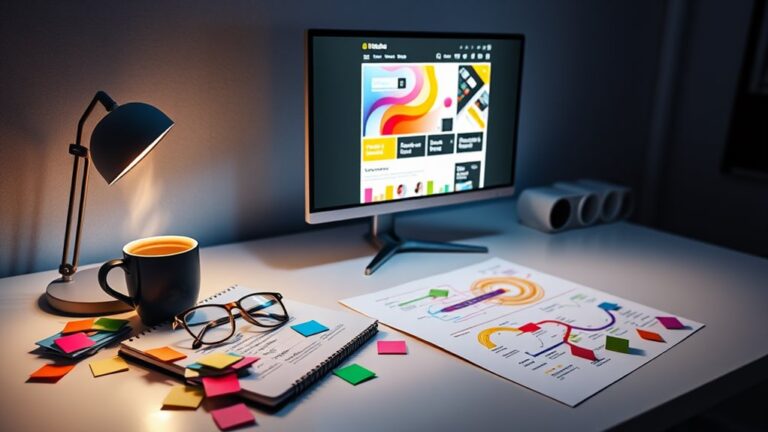
Creating seamless user experiences through design involves comprehending user needs and applying user-centered principles. Start by developing user personas to identify motivations and pain points. Emphasize usability through iterative testing to improve interaction and satisfaction. Guarantee accessibility for diverse user groups and implement effective visual hierarchy to guide users intuitively. Utilize responsive design to maintain consistency across platforms. Engaging interactive elements can evoke positive emotions, further enriching the experience. Continuous feedback integration from real users drives refinement and innovation. Explore these strategies further to uncover deeper insights into optimizing user experiences.
Understanding User Needs
To create effective user experiences, it is vital to first comprehend the needs and expectations of the users themselves. This comprehension can be achieved through the development of user personas, which are fictional representations that encapsulate the demographics, motivations, and behavior patterns of target users. By utilizing these personas, designers can craft user pathways that map out the steps users take during interaction with a product, illuminating key task analysis that identifies their goals and objectives.
Moreover, employing methodologies such as contextual inquiry allows designers to explore deeper into the environment and situations in which users engage with the product. This approach reveals not only the users' pain points but also the emotional triggers that can improve or inhibit their experience. Recognizing these factors is fundamental for innovation, as it enables designers to create solutions that resonate on a personal level.
Additionally, demographic insights offer a nuanced grasp of user segments, helping to tailor experiences that align with specific user motivations. To guarantee that the design evolves in alignment with user needs, implementing feedback loops is critical. These loops facilitate continuous improvement by capturing user feedback and iterating on designs, thereby nurturing a culture of responsiveness and adaptability.
In essence, comprehending user needs is the cornerstone of creating seamless user experiences. By integrating user personas, user pathways, and various research methodologies, designers can not only meet but exceed user expectations, paving the way for innovative solutions that truly resonate with their audience.
Principles of User-Centered Design
User-Centered Design is grounded in key principles that prioritize the needs and experiences of users. Central to this approach are empathy in design, the critical role of usability testing, and the iterative design process, each contributing to the creation of effective and engaging solutions. By integrating these principles, designers can markedly improve user satisfaction and overall product effectiveness.
Empathy in Design
In the process of designing products and services, grasping the needs, emotions, and motivations of users is crucial for creating effective solutions. Empathy in design nurtures emotional connections that resonate deeply with users, resulting in experiences that feel personalized and intuitive. By integrating empathy into the design process, we can better comprehend user personas—detailed profiles that encapsulate the characteristics, goals, and pain points of our target audience.
Engaging with user personas allows designers to visualize the user experience, helping to identify critical touchpoints where emotional connections can be established. This comprehension enables the creation of solutions that not only address functional needs but additionally cater to the emotional environment of users. For instance, when designers empathize with users' frustrations, they can innovate to alleviate those pain points, transforming negative experiences into positive interactions.
Ultimately, empathy in design is not merely an additive process; it is foundational. When designers prioritize emotional connections and user personas, they cultivate a culture of innovation that leads to seamless user experiences. By championing empathy, we guarantee that the end product resonates authentically, making a lasting impact on users' lives.
Usability Testing Importance
Effective usability testing is vital for ensuring that designs meet the needs of users in practical, everyday contexts. By implementing robust usability testing methods, designers can identify potential pain points and inefficiencies within their products before they reach the market. This proactive approach not merely improves user satisfaction but also encourages innovation by revealing insights that can lead to improved features and functionalities.
Usability testing allows designers to gather qualitative and quantitative data, enabling a thorough user feedback analysis. By observing real users interacting with a prototype, teams can assess usability factors such as ease of navigation, visual appeal, and task completion rates. This iterative process promotes a culture of continuous improvement, where user insights directly inform design decisions.
Furthermore, the importance of usability testing extends beyond mere functionality; it amplifies the overall user experience, creating products that resonate with their target audience. In a competitive environment where user expectations are continually evolving, investing time and resources into usability testing is vital for designing innovative solutions that not only meet but surpass user needs. In the end, this commitment to user-centered design principles lays the foundation for successful, seamless user experiences.
Iterative Design Process
The iterative design process is a cornerstone of effective design methodology, emphasizing the importance of continuous refinement based on user feedback. This approach promotes innovation while guaranteeing that the final product resonates with users. By engaging in design iterations, teams can adapt and evolve concepts through systematic testing and validation.
To optimize the iterative design process, consider the following steps:
- Prototype Testing: Develop initial prototypes to visualize concepts and facilitate early user engagement. This stage allows for rapid feedback cycles, enhancing the design refinement process.
- Collaborative Brainstorming: Cultivate a culture of creativity among stakeholders through design sprints. This collaboration boosts diverse input, assuring that all perspectives are considered in shaping the user experience.
- Design Documentation: Maintain thorough records of design iterations and user feedback. This documentation serves not just to aid in concept validation but serves as a reference for future projects.
Incorporating stakeholder involvement at every stage guarantees that the design aligns with business goals while remaining user-centric. Embracing the iterative design process eventually leads to seamless user experiences that are both functional and engaging. Furthermore, this collaboration fosters innovation, as diverse perspectives can uncover unique solutions and potential challenges early on. By integrating feedback loops, teams can refine their approaches and ensure that the final product not only meets user expectations but also adheres to sustainable design strategies for architecture. This holistic approach not only enhances functionality but also contributes positively to the environment, creating spaces that are as responsible as they are aesthetically pleasing.
Importance of Usability
Usability stands as a cornerstone in the domain of user experience design, directly influencing how individuals interact with products and services. In an environment where user expectations are constantly changing, ensuring usability is merely an option but a requirement. High usability leads to increased user satisfaction, retention, and in the end, loyalty, making it a crucial component of any innovative design strategy.
To effectively measure usability, practitioners rely on usability metrics, which provide quantifiable insights into user interactions. These metrics can include task completion rates, error frequency, and time on task, offering a thorough view of how well users can navigate a product. By analyzing these data points, designers can identify pain points and areas for improvement, nurturing a user-centered approach that leads to improved experiences.
Implementing usability frameworks further enriches the design process, as they offer structured methodologies to address user needs. Frameworks such as Nielsen's Heuristics or the User-Centered Design (UCD) model serve as guiding principles that streamline design efforts. They facilitate the incorporation of usability principles throughout the entire design lifecycle, ensuring that user feedback is at the forefront of decision-making.
As innovation continues to shape our digital environment, prioritizing usability will remain crucial. By leveraging usability metrics and frameworks, designers can create intuitive experiences that not just meet but exceed user expectations, in the end driving success in an increasingly competitive market.
Enhancing Accessibility
Over one billion people worldwide experience some form of disability, highlighting the urgent need to improve accessibility in design. As designers, we have a responsibility to create environments that are not merely functional but inclusive. By embracing innovative approaches, we can elevate user experiences for everyone, particularly those who rely on assistive technologies.
To achieve this, consider the following strategies:
- Inclusive Design Principles: Implement design guidelines that prioritize accessibility from the outset. This involves comprehending diverse user needs and creating adaptable solutions that cater to various abilities.
- Integration of Assistive Technologies: Leverage existing technologies such as screen readers, voice recognition software, and alternative input devices. Ascertain that your designs are compatible with these tools, allowing users to interact seamlessly with your product.
- User Testing with Diverse Groups: Engage users with disabilities in the testing phase to gather insights and feedback. This will not merely help in identifying potential barriers but will also lead to iterative improvements that elevate overall usability.
Visual Hierarchy in Design
Effective visual hierarchy serves as the backbone of intuitive design, guiding users through content in a manner that feels natural and engaging. By utilizing visual cues, designers can create a clear pathway that improves the overall design flow, allowing users to navigate seamlessly from one element to another. This structured approach not only captures attention but also promotes comprehension and retention of information.
To illustrate the vital components of visual hierarchy, consider the following table:
| Element | Description | Impact on User Experience |
|---|---|---|
| Size | Larger elements attract attention | Prioritizes key information |
| Color | Contrasting colors highlight elements | Improves visibility and focus |
| Placement | Strategic positioning guides flow | Influences reading patterns |
Incorporating these elements into the design process allows for the creation of a coherent visual narrative. Size variations signal importance; color differentiation captures interest; and thoughtful placement directs the user's gaze. This trifecta of techniques not only streamlines design flow but also aids in establishing a logical progression through content.
Moreover, effective visual hierarchy nurtures an environment where users can intuitively discern the relationships between different pieces of information. By thoughtfully integrating visual cues, designers empower users to engage with the content dynamically and meaningfully, ultimately improving the user experience. In an age where attention spans are fleeting, mastering visual hierarchy is vital for delivering innovative and impactful design solutions that resonate with users.
Consistency Across Platforms
Achieving consistency across platforms is crucial for promoting a cohesive user experience. In an increasingly digital world, users expect seamless shifts between devices and applications. By adhering to cross platform standards and a unified design language, organizations can improve usability and brand recognition, in the end nurturing user loyalty.
To effectively implement consistency across platforms, consider the following strategies:
- Unified Design Language: Develop a thorough design language that outlines typography, color schemes, and iconography. This language should be applied uniformly across all platforms to guarantee that users recognize your brand instantly, regardless of the device they are using.
- Cross-Platform Functionality: Ascertain that your application or website offers similar functionalities and user interactions across platforms. This means that regardless of whether a user is on a mobile device, tablet, or desktop, their experience should feel familiar and intuitive, minimizing the learning curve.
- Consistent User Feedback: Design interactions that provide consistent feedback across platforms. Whether it's a button click or a form submission, users should receive similar notifications and confirmations, reinforcing their grasp of the action taken.
Responsive and Adaptive Design
Designing for diverse devices requires a strategic approach that incorporates both responsive and adaptive design principles. In an era where users access content through a myriad of screens, from smartphones to large desktop monitors, creating seamless experiences relies on the effective implementation of responsive frameworks and adaptive layouts.
Responsive design emphasizes fluidity, employing flexible grids and layouts that automatically adjust to the screen size. This approach guarantees that a single design can cater to various devices without compromising usability or aesthetics. By utilizing CSS media queries, designers can create an experience that feels cohesive across platforms, allowing content to flow intuitively and maintain its integrity regardless of the viewing environment.
On the other hand, adaptive design takes a more customized approach, presenting distinct layouts optimized for specific devices. This method involves predefined breakpoints, where the layout changes based on the device's resolution. Such adaptability can improve performance by loading only the necessary elements, thereby enhancing load times and user satisfaction.
To find the right balance between these methodologies, designers should consider user behaviors and contexts. Although responsive frameworks provide versatility, adaptive layouts can deliver specialized experiences that resonate deeper with users. In the end, integrating both responsive and adaptive principles will cultivate innovative designs that elevate user engagement and satisfaction, paving the way for seamless experiences across an ever-expanding array of devices.
Utilizing White Space Effectively
Three key benefits arise from utilizing white space effectively in design: improved readability, augmented focus, and a more aesthetically pleasing layout. White space, often overlooked, is a potent tool that improves user experience by creating an environment conducive to visual breathing. By strategically incorporating white space, designers can transform cluttered interfaces into clear and engaging experiences that invite interaction.
The white space benefits can be distilled into three main categories:
- Improved Readability: Ample white space around text and images allows users to absorb information more easily. It reduces cognitive load, enabling a smoother reading experience and facilitating better comprehension.
- Augmented Focus: By isolating key elements, white space directs users' attention where it matters most. This intentional separation helps highlight calls to action, making them stand out in a crowded interface. Users can quickly identify important information without distraction.
- Aesthetically Pleasing Layout: A well-balanced design, enriched with thoughtful white space, evokes a sense of sophistication and professionalism. This visual harmony not just improves brand perception but additionally nurtures trust and engagement among users.
In essence, utilizing white space effectively is not merely about leaving areas blank; it is about creating a harmonious balance that improves the overall user experience. Embracing these principles can lead to innovative designs that resonate with users, eventually resulting in a seamless interaction experience.
Engaging Interactivity Elements
Engaging interactivity elements are crucial for enhancing user experiences within digital design. By applying interactive design principles, designers can greatly improve user navigation and create a more intuitive interface. Furthermore, incorporating gamification techniques can further motivate users, making their interactions more enjoyable and impactful.
Interactive Design Principles
User interaction is at the heart of effective digital experiences, making it essential to integrate interactive design principles that encourage meaningful engagement. These principles not only improve user engagement but likewise cultivate immersive experiences that resonate on both cognitive and emotional levels. By strategically employing various elements, designers can create interfaces that captivate users and reduce cognitive load.
Here are three key interactive design principles to take into account:
- Interactive Feedback: Providing immediate and clear feedback through visual storytelling or sensory interaction helps users understand the impact of their actions, creating a more engaging experience.
- Emotional Design: Crafting playful interfaces that evoke positive emotions encourages repeated interactions, making users feel connected and valued.
- Immersive Experiences: Incorporating elements that stimulate the senses transforms ordinary interactions into memorable experiences, nurturing deeper user engagement.
Enhancing User Navigation
Effective navigation serves as the backbone of any digital interface, guiding users seamlessly through content and functionalities. To improve user navigation, the incorporation of engaging interactivity elements is vital. Utilizing visual navigation tools, such as dynamic icons and interactive breadcrumbs, can greatly enhance the user experience by providing clear pathways and context throughout the interface. These elements not only boost the aesthetic appeal but also facilitate quicker decision-making.
An intuitive menu design is fundamental for nurturing user confidence and satisfaction. By employing dropdowns, mega menus, or context-sensitive options, designers can create a streamlined navigation experience that minimizes cognitive load. The key is to guarantee that users can access information and features effortlessly, without feeling overwhelmed or lost.
Moreover, integrating responsive design principles allows the navigation to adapt fluidly across various devices, improving accessibility. As users engage with these innovative navigation solutions, they are more likely to immerse themselves in the content, resulting in prolonged interaction and increased satisfaction. In the end, prioritizing engaging interactivity elements in navigation design is vital for creating a cohesive and enjoyable user experience that meets the dynamic needs of today's digital environment.
Gamification Techniques Overview
Incorporating gamification techniques into digital experiences can greatly improve interactivity and user engagement. By leveraging game mechanics, designers can promote user motivation and create a more dynamic interface. Effective gamification encompasses various elements that resonate with users, driving them to interact and remain engaged.
Here are three key gamification techniques to contemplate:
- Reward Systems: Implementing rewards, such as points or badges, reinforces positive user behavior and encourages continuous participation. Users are more likely to return when they see tangible benefits from their actions.
- Challenge Levels: Introducing varying difficulty levels can cater to diverse user skills, enhancing the experience. By presenting challenges that users can conquer, you promote a sense of achievement and progress tracking.
- Social Interaction: Facilitating communication among users can create a community atmosphere. Incorporating narrative elements and feedback loops allows users to share their experiences, further enhancing engagement.
Testing and Iterating Designs
Testing and iterating designs are fundamental steps in the design process that guarantee a product meets user needs and expectations. To cultivate innovation, employing A/B testing strategies allows designers to compare variations of a product and gather quantitative data on user preferences. This empirical approach not only validates design decisions but also informs future iterations by identifying what resonates with the target audience.
Integrating user feedback loops throughout the design cycle is essential for refining concepts and guaranteeing alignment with user desires. By establishing continuous communication with users, designers can gather important insights that influence design improvements. Moreover, leveraging design sprint methodologies enables teams to swiftly prototype and test ideas in a condensed timeframe, nurturing creativity while maintaining focus on user experience.
Prototype evaluation techniques, such as usability testing and heuristic evaluations, provide structured frameworks for evaluating design effectiveness. These methods allow designers to pinpoint usability issues early in the process, reducing the risk of costly revisions later. In addition, stakeholder collaboration efforts are critical in this iterative stage; involving cross-functional teams guarantees diverse perspectives are considered, resulting in more comprehensive solutions.
Keeping User Feedback in Focus
Central to creating a user-centric design is the consistent integration of user feedback throughout the development process. This approach not only improves usability but also nurtures innovation by tailoring experiences to meet user needs. Implementing effective user feedback loops is vital for gathering insights that drive design improvements. By actively listening to users and analyzing their sentiments, designers can identify areas for development and guarantee that the product resonates with its audience.
To maintain a focus on user feedback, consider the following strategies:
- Regular User Testing: Conduct frequent usability tests to gather real-time feedback on design choices. This iterative process allows for quick adjustments and refines the overall user experience.
- Sentiment Analysis Tools: Leverage technology to analyze user sentiment through surveys, social media, and app reviews. Comprehending the emotional responses of users helps inform design decisions that improve satisfaction and engagement.
- Community Engagement: Cultivate a community around your product. Encourage users to share their thoughts and experiences, creating a continuous dialogue that informs future iterations and strengthens user loyalty.
Frequently Asked Questions
How Do I Balance Aesthetics and Functionality in Design?
Balancing aesthetics and functionality in design requires a careful approach that prioritizes aesthetic harmony during ensuring functional simplicity. Innovative design should evoke visual appeal without compromising usability. This can be achieved by integrating form and function seamlessly, allowing each element to serve a purpose. Employing a minimalist approach often improves user engagement, as it reduces cognitive load. Eventually, effective design harmonizes beauty and practicality, creating an intuitive experience that captivates and serves users effectively.
What Tools Can Help Streamline the Design Process Effectively?
To effectively streamline the design process, leveraging tools that improve design collaboration and workflow optimization is crucial. Platforms such as Figma and Adobe XD facilitate real-time collaboration among team members, enabling rapid feedback and iterative design. Moreover, project management tools like Trello or Asana can streamline task assignments and deadlines, ensuring a cohesive workflow. Integrating these tools promotes innovation by allowing designers to focus on creativity during the maintenance of efficiency throughout the design lifecycle.
How Can I Ensure My Design Appeals to Diverse User Groups?
To guarantee your design appeals to diverse user groups, prioritize cultural considerations from the outset. Conduct thorough user testing with participants representing various backgrounds to gather valuable insights. This approach will reveal preferences and accessibility needs unique to each demographic. Embrace iterative design, refining your solutions based on feedback to promote inclusivity. In the end, leveraging diverse perspectives will drive innovation, creating a product that resonates with a broader audience and improves user satisfaction.
What Role Does Branding Play in User Experience Design?
Branding serves as the cornerstone of user experience design, shaping perceptions and nurturing loyalty. A strong brand identity creates recognition, whereas an emotional connection invites users to engage more deeply. Through consistent visual elements, tone, and values, brands can evoke feelings that resonate with users, enhancing their overall experience. This synergy between branding and user experience not just differentiates products but equally develops lasting relationships, finally driving innovation and satisfaction in the marketplace.
How Can I Measure the Success of My Design Choices?
Measuring the success of design choices requires a multifaceted approach. User feedback serves as a vital indicator, providing insights into user satisfaction and interaction. Implementing usability testing allows designers to observe real-world interactions, identifying pain points and areas for improvement. By combining qualitative feedback with quantitative metrics, such as task completion rates, organizations can guarantee their design decisions cultivate innovation and enrich overall user experience, eventually driving engagement and satisfaction.