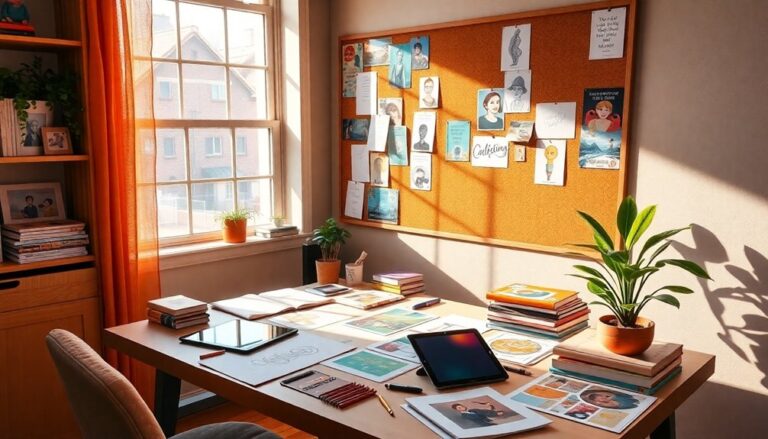
Incorporating texture and detail in your animated world brings depth and realism to your story. Start by choosing textures that reflect the materials in your environment, like smooth surfaces for sleek designs or rough ones for organic feels. Pay attention to how color and lighting influence mood—the right shadows can improve your textures. Use layering techniques to create depth, with detailed foreground elements drawing viewer attention. Add atmospheric effects, like fog or rain, to enrich the visuals. Focus on crucial details during avoiding clutter. With these tips, you can create immersive worlds that invite exploration and captivate your audience.
Understanding Texture in Animation
Texture plays a significant role in animation, improving the visual appeal and adding depth to characters and environments. When you think about it, texture isn't just about making things look good; it's a vital element of visual storytelling. By using texture mapping, you can create surfaces that tell a story of their own, conveying emotions and themes that resonate with your audience.
Imagine a character with a rough, weathered skin texture, hinting at a life filled with struggles and adventures. On the flip side, a smooth, glossy texture could signify innocence or a pristine environment. Through careful texture mapping, you can manipulate these perceptions, allowing viewers to connect with your characters on a deeper level.
Innovation in texture application can raise your animation from ordinary to extraordinary. Experimenting with different materials, like fabric or metal, can introduce a tactile quality that draws viewers in, making them feel the weight of the world you've built. Consider how animated films like "Spider-Man: Into the Spider-Verse" utilized various textures to improve its unique style and narrative.
Choosing the Right Color Palette
Color can significantly influence the mood and perception of your animated world, much like texture does. When you're choosing a color palette, you need to think about color psychology and the emotional resonance you want to evoke in your audience. Each hue carries its own psychological weight—warm colors like reds and yellows can energize and excite, whereas cool colors like blues and greens can soothe and calm.
Start by defining the emotional core of your story. What feelings do you want the audience to experience? If you're aiming for adventure, bold, lively colors can ignite excitement. For a more contemplative narrative, you might opt for muted tones that encourage reflection. Don't shy away from experimenting; consider unconventional combinations that challenge traditional norms.
When designing your color palette, aim for harmony and balance. Use a limited spectrum to create unity, but break it up with contrasting colors to highlight key elements. This not only draws attention but also adds depth to your characters and environments.
Keep in mind the cultural implications of colors too. What resonates in one culture might not in another. Research your audience to confirm your choices connect on a deeper level.
Ultimately, your color palette should serve your story and amplify the overall texture of your animated world, making it a memorable experience for viewers. So, take the time to curate your colors; they're an influential tool in your storytelling arsenal.
Layering Techniques for Depth
Creating depth in your animated world relies heavily on effective layering techniques. To truly engage your audience, you need to master various layering styles that improve your scenes. Start by considering the foreground, midground, and background elements. Each layer should serve a purpose, contributing to the overall depth perception of your animation.
Incorporate foreground elements that are rich in detail; these will draw your viewers closer. Use contrasting colors and sharper outlines to make these objects pop. Next, focus on the midground—this is where you can introduce movement and action. Layering dynamic elements here creates a sense of life without overwhelming the viewer. Finally, the background should support the scene without stealing focus. Use softer colors and blurred shapes to improve the feeling of distance.
Don't forget about atmospheric effects! Fog, light, and shadow can act as additional layers that enrich your world. These elements can soften edges and create the illusion of space, further improving depth perception. Experiment with opacity levels and blending modes to give each layer its unique character and interaction with light.
Also, consider how your camera angles play into layering. A low angle can exaggerate the height of objects, whereas a high angle can compress layers, adding to the sense of depth. Using these techniques innovatively can transform a flat scene into a lively, immersive experience. So, immerse yourself, experiment, and watch as your animated worlds come alive with depth and detail!
Incorporating Real-World References
When you incorporate real-world references into your animated worlds, you're grounding your creations in reality. Using observational drawing techniques can sharpen your comprehension of textures and forms, making your animations feel more authentic. Furthermore, gathering textural reference materials can provide a rich source of inspiration, helping you bring those details to life.
Observational Drawing Techniques
Observational drawing techniques can transform your animated universes by grounding them in tangible reality. By employing gesture drawing, you can capture the essence of movement and life within your characters. Use observational techniques to create figure studies that inform your comprehension of human anatomy and dynamics. This knowledge will enhance the believability of your animations.
Incorporating still life and environment sketches into your practice can deepen your appreciation for texture exploration. Pay attention to form analysis; grasping how light interacts with surfaces will elevate your work. When you draw from real life, focus on line quality—varying your strokes can convey depth and dimension, making your environments feel more immersive.
Challenge yourself to draw regularly from observation. This commitment not only sharpens your skills but also enriches your creative toolbox. By grounding your animations in the real world, you'll infuse your animated universes with authenticity and vibrancy. Remember, the clearer your comprehension of the physical world, the more innovative and engaging your animations will become. Embrace these techniques, and watch your animated realms come alive with detail and texture.
Textural Reference Materials
Incorporating real-world textures into your animated worlds can greatly improve their visual appeal and authenticity. To achieve this, you should explore various textural inspiration sources that showcase the intricacies of materials found in nature and everyday life. Start by observing surfaces—like weathered wood, crumbling brick, or glossy metal. Notice how light interacts with these textures; this awareness will enrich your animation.
Digital texture libraries are invaluable tools for modern animators. They offer a vast array of pre-made textures that you can seamlessly integrate into your projects, saving you time and elevating the overall quality. These libraries often include high-resolution images that capture the subtleties of different materials, allowing you to create more immersive environments.
Don't hesitate to mix and match textures from different sources, as this can lead to unique combinations that elevate your artistic vision. Remember, the goal is to evoke a sense of realism and depth, so always analyze how textures behave in the real world. With these resources at your fingertips, you'll find that your animated worlds can come alive in ways you've only dreamed of before.
Utilizing Lighting and Shadows
When you're creating animated worlds, the placement of light sources can dramatically influence the mood and depth of your scenes. Comprehension of shadow techniques and how they interact with your textures is crucial for adding realism and dimension. Don't forget the impact of color temperature—it's key to setting the right atmosphere for your animation.
Light Source Placement
Effective light source placement is vital for creating depth and realism in animated worlds, as it directly influences how textures appear and interact with their surroundings. You'll want to reflect on light direction carefully; it not just casts shadows but also shapes the overall ambience. By varying the light intensity, you can achieve striking illumination effects that highlight your textures, adding layers of detail and intrigue.
Experiment with source variety—using multiple light sources can enrich your scene and improve color contrast. For instance, placing a warm light next to a cool one can create a dynamic visual experience that draws the viewer in. Shadow placement is important, too; it can define shapes and forms, giving your world a tactile quality that invites exploration.
Don't underestimate the influence of mood setting. The right lighting can evoke emotions and guide the audience's focus. Use these techniques to create texture highlights that breathe life into your animations. Remember, the interplay of light and shadow can transform an ordinary scene into an extraordinary one, so embrace these principles for truly innovative animated worlds.
Shadow Techniques Explained
Shadows play a crucial role in defining the visual language of your animated worlds. By perfecting shadow techniques, you can raise your scenes, giving them depth and intrigue. Start by experimenting with different shadow types—soft shadows create a gentle, diffused look, whereas sharp shadows can add dramatic tension and define edges.
Think about shadow placement, too. Shadows should align with your light sources to maintain realism. Position them in a way that improves the story; for instance, shadows creeping across the ground can evoke a sense of foreboding. Use dynamic shadows to guide your audience's attention, leading their eyes to key elements within the frame.
Consider the time of day and the mood you want to convey. Morning light casts long, soft shadows, whereas midday sun produces shorter, stark ones. Play with these variations to differentiate scenes and improve emotional impact.
Finally, don't shy away from experimenting with unconventional shadow techniques. Layering shadows or using colored shadows can create unique effects that resonate with your audience. Embrace innovation, and let shadows breathe life into your animated worlds.
Color Temperature Impact
Color temperature frequently influences the mood and atmosphere of your animated scenes, shaping how audiences perceive emotions and actions. By leveraging color psychology, you can evoke specific emotional responses that resonate deeply with viewers. Warm colors, like reds and oranges, can create feelings of intimacy or urgency, whereas cooler hues, such as blues and greens, often inspire calmness or melancholy.
When designing your lighting, consider the time of day and the emotional tone of the scene. For instance, a sunset can envelop your world in warm tones, making a scene feel nostalgic or romantic. Conversely, a bright, cold daylight can convey clarity and harshness.
Shadows likewise play an important role; they interact with your color choices to improve or diminish emotional impact. Experimenting with shadows in various color temperatures can create depth, adding layers of complexity to your worlds.
Finally, don't shy away from utilizing contrasting temperatures in a single scene. This juxtaposition can intensify emotional tension and draw attention to key elements. By thoughtfully applying color temperature and shadows, you'll raise your animated storytelling to new heights, making your scenes unforgettable.
Adding Surface Details
Surface details play a fundamental role in bringing animated worlds to life, adding depth and realism that captivates viewers. By focusing on surface materiality, you can improve your animations through innovative techniques like texture mapping and detail layering. This approach creates tactile realism that engages the audience and raises visual storytelling.
When you implement environmental textures, it's vital to take into account detail variation. Different surfaces have unique characteristics, and reflecting those nuances will make your world feel more organic. For instance, a rough stone wall should look distinctly different from a smooth metal surface. Below is a table to illustrate how these elements can vary:
| Surface Type | Texture Characteristics | Detail Variation |
|---|---|---|
| Brick Wall | Rough, uneven, varied colors | Cracks, moss, and erosion |
| Water Surface | Fluid, reflective, subtle ripples | Waves, foam, and reflections |
| Wooden Plank | Grainy, warm, organic textures | Knots, scratches, and stains |
| Metal Surface | Smooth, shiny, cool to touch | Dents, rust, and fingerprints |
| Grass Field | Soft, lively, lush | Blades of grass, patches of dirt |
Creating Atmospheric Effects
In crafting immersive animated worlds, you can't overlook the impact of atmospheric effects, which add layers of depth and mood to your scenes. These effects are essential for building dynamic environments that captivate your audience and evoke emotions. To truly innovate, you need to think beyond basic visuals and consider how atmospheric layers can transform an ordinary setting into something extraordinary.
Start by experimenting with fog, mist, or haze. These elements can soften edges and create a sense of distance, improving the depth of your backgrounds. By adjusting opacity and color gradients, you can craft a mood that ranges from mysterious to serene. Lighting is another fundamental component; soft, diffused light can evoke a tranquil atmosphere, whereas harsh shadows can heighten tension.
Moreover, consider using particle effects like rain, snow, or stars. These not merely enrich the visual fabric but additionally provide context and narrative—each droplet or flake tells a story. Remember, the key is subtlety; you want your atmospheric effects to improve your scenes, not overshadow them.
You can similarly play with color palettes to establish emotional resonance. Warm tones might create a cozy feeling, while cooler tones could evoke sadness or isolation. By blending these techniques, you'll create a richly textured animated world that feels alive and engaging. In the end, it's all about layering these atmospheric effects to breathe life into your dynamic environments, ensuring your audience is fully immersed in the experience.
Enhancing Character Textures
Many animators underestimate the strength of character textures in bringing their creations to life. The right textures can transform a flat design into a multi-dimensional character that resonates with audiences. By improving character textures, you not only highlight personality traits but likewise convey emotional expressions and movement dynamics effectively. Here are three key aspects to focus on:
- Character Clothing: The fabrics you choose can speak volumes about a character's backstory and personality. Think about how textures like rough denim or soft silk can reflect their lifestyle and emotional state.
- Facial Features: Subtle textures in skin can improve realism. Adding imperfections or details like freckles or scars gives depth to emotional expressions, making them more relatable and impactful.
- Environmental Interaction: How your character's textures interact with their surroundings can tell a story. For instance, a character with weathered clothing might show signs of environmental wear, providing insight into their expedition.
Incorporating these textures not only enriches the visual experience but likewise supports body language. When you animate these elements, consider how they move and react to the environment, reinforcing the character's emotional state. By paying attention to these details, you'll create characters that feel alive and engaging, allowing your audience to connect with them on a deeper level. Remember, every texture adds layers to your character's story, making them memorable and dynamic.
Using Patterns and Motifs
Patterns and motifs can greatly amplify the visual storytelling in animated worlds. By utilizing the strength of pattern recognition, you can create a more immersive experience for your audience. Patterns aren't just decorative; they can serve as visual cues that improve your narrative, guiding viewers through the story.
When you explore motifs, think of them as recurring elements that symbolize deeper meanings. These motifs can create emotional connections, making your audience feel more invested in the world you're building. Here's a quick table to illustrate how patterns and motifs can function in your animation:
| Patterns | Motifs |
|---|---|
| Repeating shapes | A specific color |
| Textures in nature | A character's emblem |
| Geometric designs | Environmental themes |
| Cultural symbols | Personal items |
Balancing Detail With Simplicity
When you're creating animated worlds, finding the right balance between detail and simplicity is vital. You want to highlight important elements that improve visual harmony during the process of avoiding extraneous details that can clutter your scene. This careful selection not just defines your style but likewise guides your audience's focus.
Finding Visual Harmony
Striking a balance between intricate detail and minimalist simplicity is essential for creating visually harmonious animated worlds. You want to achieve visual balance that improves design cohesion without overwhelming the viewer. Here are three strategies to help you find that sweet spot:
- Layer Your Textures: Start with a base layer of simple shapes. Gradually add textures that complement the primary design without overshadowing it. This approach keeps your visuals engaging yet accessible.
- Limit Your Color Palette: Choose a cohesive color scheme that ties elements together. By using fewer colors, you can emphasize detail in selected areas as you maintain an overall simplicity that pleases the eye.
- Focus on Focal Points: Designate specific areas where intricate detail can shine. This draws attention and creates depth, as the surrounding simpler elements provide a visual respite, improving design cohesion.
Essential vs. Extraneous Detail
Finding the right balance between detail and simplicity can make or break your animated world. You need to distinguish between crucial detail that improves your narrative and extraneous detail that distracts from it. Vital details ground your characters and settings, during extraneous elements can clutter the visual experience.
To help you navigate this balance, consider the following table:
| Crucial Detail | Extraneous Detail |
|---|---|
| Key character traits | Unnecessary background elements |
| Iconic color palettes | Overly complex textures |
| Relevant props | Irrelevant visual noise |
| Strategic lighting | Distracting animations |
| Purpose-driven designs | Superfluous flourishes |
When you're animating, ask yourself if each detail serves a purpose. Does it enrich the story or character? If not, it might just be extraneous. Aim to create an immersive experience without overwhelming your audience. By honing in on what's vital, you'll craft a world that captivates and resonates, leaving room for your audience's imagination to flourish.
Frequently Asked Questions
How Do I Choose the Right Software for Texture Creation?
Choosing the right software for texture creation can be exciting but overwhelming. Start by conducting a software comparison, focusing on features that align with your creative goals. Look for texture tools that allow flexibility and innovation, such as procedural texturing or hand-painted options. Don't forget to take into account the community support and learning resources available for each software. In the end, select a tool that inspires you and improves your creative process.
Can I Use Photographs for Texture Mapping in My Animations?
Using photographs for texture mapping in your animations is like painting a masterpiece with real-life brushstrokes. If you choose high-quality photographs, they can improve your work considerably. Just make sure the texture resolution matches your animation's needs; otherwise, you might end up with blurry details. Experiment with different images to see which ones boost your project's look. It's a creative way to add depth and realism, making your animation truly stand out.
What Are Some Common Mistakes to Avoid With Texture Application?
When applying textures, avoid common pitfalls like low texture resolution, which can make your animations look pixelated and unprofessional. Furthermore, be mindful of color consistency; mismatched colors can disrupt the visual harmony of your project. Experiment with different textures, but don't go overboard—too many can clutter your scenes. Keep it balanced, ensuring each texture improves the overall aesthetic as well as maintaining clarity and cohesion in your work.
How Can I Effectively Animate Textures Over Time?
Think of a painter blending colors on a canvas. To effectively animate textures over time, you'll want to employ innovative animated techniques that truly captivate. Start by utilizing texture layering to create depth and realism, adjusting the layers as your scene evolves. Experiment with dynamic elements, like opacity and movement, to breathe life into your textures. This approach keeps your audience engaged, ensuring your animation stands out with a fresh, lively aesthetic.
Do Textures Impact the Overall Style of an Animated Film?
Absolutely, textures greatly impact the overall style of an animated film. When you choose diverse texture styles, you improve visual storytelling, creating a unique atmosphere that resonates with your audience. Think about how rough surfaces might convey tension, as smooth textures evoke calmness. By experimenting with textures, you can push boundaries and raise your narrative, making your film not just a visual treat but an emotionally engaging experience that leaves a lasting impression.