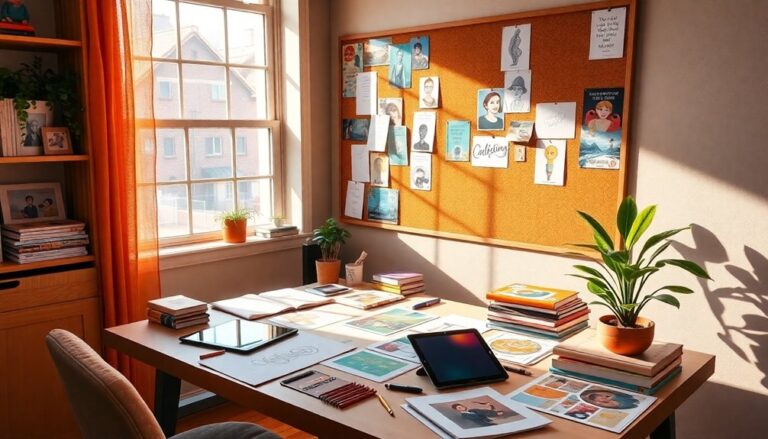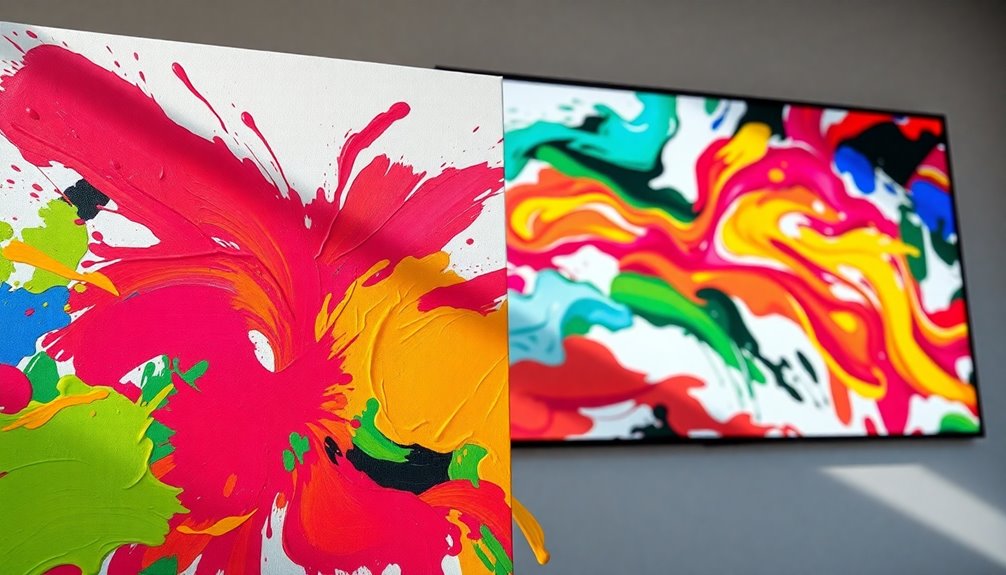

To shift from static art to dynamic animation, start by mastering animation fundamentals like timing, spacing, and key principles such as squash and stretch. Choose software that fits your workflow and has an intuitive interface. Prepare your artwork by refining colors and adding textures for depth. Experiment with various animation techniques, like frame-by-frame or 2D character animation, to bring your designs to life. Don't forget to incorporate sound and effects for improved engagement. Finally, consider how to share your work effectively. Your expedition into animation is just beginning, and so much more awaits on this exciting path.
Understanding Animation Basics
To create dynamic animations, you first need to comprehend the basics of animation itself. Grasping an animation principles overview is crucial for anyone looking to innovate in this art form. You'll want to familiarize yourself with the key concepts that breathe life into your creations.
Start by immersing yourself in fundamental motion concepts like timing and spacing. Timing determines how long a movement takes, whereas spacing defines the distance an object moves between frames. Mastering these elements allows you to control the rhythm of your animation, making it feel more lifelike. For instance, a fast-moving object will require less spacing, whereas a slower one needs more to emphasize its movement.
Next, consider the principles of animation that can enhance your work. These include squash and stretch, anticipation, and follow-through. Squash and stretch give your objects weight and flexibility, while anticipation prepares the audience for an action, making it more impactful. Follow-through adds realism by allowing elements to continue moving even after the main action has completed.
Lastly, don't underestimate the influence of exaggeration. It can turn ordinary movements into extraordinary ones, enhancing emotional responses. By incorporating these fundamental motion concepts and the animation principles overview into your practice, you'll set a solid foundation for your dynamic animations. Embrace these basics, and you'll be well on your way to creating engaging animated pieces that resonate with your audience.
Choosing the Right Software
When you're choosing animation software, consider how well it integrates with your existing tools and workflows. You'll additionally want to assess the user interface for ease of use, as a complicated layout can slow you down. Finally, compare the animation features offered by different programs to guarantee they meet your specific needs.
Software Compatibility Considerations
Selecting the right software for dynamic animation is crucial for achieving your creative vision. You need to verify that your tools align with your goals, especially considering software compatibility and platform limitations. Here are three key factors to keep in mind:
- Hardware Requirements: Check if your current hardware can handle the demands of your chosen software. A robust setup can dramatically improve rendering speed and workflow integration.
- Update Frequency: Opt for software that offers regular updates. This not just improves features but also keeps you aligned with the latest innovations and support resources available to users.
- Licensing Issues: Be aware of the licensing models. Some software may impose restrictions that could hinder your project's scope or increase costs unexpectedly.
Moreover, think about cross-platform functionality and file size considerations. You want to verify your animation can be easily shared and accessed across different devices. In the end, the right software will amplify your creativity, enabling you to shift seamlessly from static art to dynamic animation. Embrace the technology that will uplift your artistic experience!
User Interface Ease
A user-friendly interface can make all the difference in your dynamic animation journey. When selecting software, prioritize options that emphasize intuitive interface design. This guarantees a seamless user experience, allowing you to focus on creativity rather than getting lost in complex navigation flows.
Look for programs that incorporate user feedback, improving the software's usability over time. Accessibility features are crucial too; they make sure that everyone can engage with your animations, regardless of their abilities. Responsive layouts and interactive elements boost your designs, making them more engaging and effective.
Pay close attention to visual hierarchy; it guides viewers through your animation, making important components stand out. Usability testing during your selection process can reveal how well the software meets your needs, highlighting potential pain points before you commit. Design consistency across the interface cultivates familiarity, making it easier for you to create without constantly adjusting to new workflows.
Ultimately, the right software not only empowers your artistic vision but also improves your productivity. By considering these factors, you'll set yourself up for success as you move from static art to dynamic animation.
Animation Features Comparison
Your software's animation features can make or break your project, so it is vital to compare options carefully. With the right software, you can bring your static art to life in innovative ways. Here's what to focus on:
- Animation Styles Overview: Confirm the software supports various styles, from 2D hand-drawn to 3D modeling. The flexibility in styles can inspire creativity and set your project apart.
- Character Design Considerations: The tool should allow for detailed character customization, including rigging and morphing. You want to breathe life into your characters, making them relatable and dynamic.
- Ease of Integration: Check if the software works well with other tools you use. Seamless integration can save you time and improve your workflow.
Preparing Your Static Artwork
Shifting from static artwork to dynamic animation requires a thoughtful approach to preparing your graphics. Start by refining your color palette; the right colors can evoke emotions and set the tone for your animation. Consider how composition techniques can guide viewers' eyes and improve the storytelling aspect of your piece. Every element should serve a purpose in your visual storytelling.
Next, explore character design. Create compelling characters that resonate with your audience. This involves not just their appearance but their emotions and actions. Investigate themes through your artwork; this theme exploration will add depth to your narrative, making it more engaging.
As you work through your idea, focus on texture application. Textures can breathe life into your scenes, adding dimension and realism. Don't forget detail improvement; small details can make a significant impact when animated, drawing viewers in and keeping them engaged.
Imagery selection is equally essential. Choose visuals that are not merely striking but also align with your narrative development. Concept sketches are invaluable at this stage, helping you visualize the flow of your animation and ensuring each scene connects seamlessly.
Finally, keep in mind that every element should contribute to the overall narrative. By preparing your static artwork with these considerations in mind, you'll lay a solid foundation for dynamic animation. You'll find that a well-prepared static piece can transform into an enthralling animated story that resonates with your audience.
Exploring Animation Techniques
With your static artwork prepared, it's time to explore various animation techniques that can bring your visuals to life. The domain of animation is vast, and each technique offers unique opportunities to improve your storytelling. Here are three potent methods that can ignite your creativity:
- Stop Motion: Transform physical objects into animated wonders. By taking consecutive photographs of your artwork in different positions, you create an enchanting and tactile experience. It's a labor of love that can evoke nostalgia and charm.
- Character Rigging: This technique allows you to create a digital skeleton for your characters, giving them the flexibility to move naturally. Whether you're delving into 2D animation or plunging into 3D animation, rigging improves your characters' fluidity and expressiveness, making them relatable and engaging.
- Animated Typography: Words can dance! By incorporating animated typography, you can add a dynamic layer to your visual storytelling. Play with frame rates to find the rhythm that resonates with your audience, infusing energy into your narratives.
Embrace these animation techniques, and watch your static artwork transform into a lively spectacle. Whether you're crafting whimsical cartoon animations or sophisticated motion graphics, each approach invites innovation and emotional connection. So, explore, experiment, and let your creativity flourish in this exciting domain of dynamic animation!
Adding Movement and Effects
When you start adding movement and effects to your animations, it's essential to understand the various techniques available. Familiarizing yourself with the right software and tools can greatly improve your visual appeal. By experimenting with these elements, you'll create more engaging and dynamic animations that capture attention.
Types of Animation Techniques
Animation techniques play a fundamental role in bringing your ideas to life, and comprehension of the various methods can improve your storytelling. By exploring these techniques, you can raise your work and engage your audience like never before. Here are three innovative animation styles to reflect on:
- Frame by Frame Animation: This careful method gives your characters fluidity and life, allowing you to express emotions vividly.
- Stop Motion Techniques: Capture real-world objects and bring them to life, creating a tactile experience that resonates with viewers.
- 2D Character Animation: Utilize rigging fundamentals and digital cutout styles to create dynamic characters that move seamlessly within their environments.
As you investigate 3D modeling basics and motion graphics principles, you'll discover the strength of visual storytelling techniques. Incorporating puppet animation methods and animated typography concepts can further improve your narrative. The key is to experiment and find a blend that resonates with your unique style. By mastering these techniques, you'll not only tell a story but likewise create an experience that captivates and inspires your audience. So, release your creativity and watch your ideas transform into dynamic animations!
Software and Tools Overview
Several potent software tools can help you add movement and effects to your animations, enhancing the visual storytelling experience. When choosing the right software, consider your project management needs, pricing options, and the available learning resources.
Here's a quick comparison of some top contenders:
| Software | Key Features |
|---|---|
| Adobe After Effects | Extensive animation plugins, robust graphics libraries |
| Blender | Open-source, strong community forums, free tutorials |
| Toon Boom Harmony | User-friendly, industry-standard, excellent user reviews |
Each tool offers unique strengths. For example, Adobe After Effects is praised for its animation plugins and integration with other Adobe products, whereas Blender provides a complete suite for 3D animation at no cost. Don't forget to explore community forums and user reviews to gauge which tool suits your style best.
Ultimately, your choice should align with your goals and the complexity of your animations. Immerse yourself in the available tutorials to maximize your proficiency in whichever software you select, and embrace the innovative possibilities that dynamic animation brings!
Enhancing Visual Appeal
Charming visuals draw viewers in, and adding movement and effects can greatly improve your animations. To raise your visual storytelling, consider incorporating dynamic elements that captivate and resonate with your audience. Here are three impactful strategies to amplify your animations:
- Fluid Motion: Use smooth changes and motions to create a sense of realism. This can evoke emotions and make your visuals more relatable.
- Color Dynamics: Experiment with lively color palettes and gradients to set the mood. Colors can evoke feelings—warm tones might inspire comfort, whereas cool tones can evoke calmness.
- Layered Effects: Integrate particle effects, shadows, and highlights to add depth. These layers create a more immersive experience, drawing viewers into your world.
Incorporating Sound and Music
When crafting dynamic animations, incorporating sound and music can improve the viewer's experience considerably. The right sound design sets the tone, creating an immersive world that resonates with your audience. Start with music selection—choose thematic scores that align with your animation's mood and message. Whether it's a whimsical tune or a suspenseful score, the right music can evoke strong emotional impact.
Next, focus on audio synchronization. Make certain that your sound effects and music match the actions and shifts in your animation. Rhythm matching is vital; synchronize beats with visual cues to maintain engagement. This alignment makes the experience seamless and compelling.
Don't overlook sound effects; they add depth and realism. From subtle background sounds to dramatic impacts, effective sound effects can transport viewers into your animated universe. Furthermore, consider voice narration. A well-placed voice can guide the audience through your story, improving comprehension and connection.
As you layer your audio, think about audio layering techniques. Combining different sounds—like ambient noise with thematic scores—creates a rich auditory environment. In conclusion, sound mixing is significant for balancing all these elements. Make certain that music, effects, and narration coexist harmoniously, with no single element dominating another.
Exporting Your Animated Work
When you're ready to share your animated work, comprehending file formats is essential for ensuring compatibility across platforms. You'll furthermore want to explore export settings to achieve the best quality for your audience. Finally, applying optimization techniques can help maintain performance without sacrificing visual appeal.
File Formats Overview
As you wrap up your animated project, choosing the right file format for export is crucial. The format you select can greatly impact quality, efficiency, and compatibility. Here's a quick overview of some standout options:
- GIF advantages: Great for simple animations, but limited in color depth.
- APNG benefits: Supports transparency and offers higher quality than GIFs, making it perfect for more complex animations.
- SVG flexibility: Ideal for vector animations, scaling without loss of quality, and easily editable.
If you're aiming for efficiency, consider WebP for superior compression without sacrificing quality. For high-quality images, HEIC can give you an edge, as MOV and MP4 remain the go-to choices for video because of their vast compatibility. FLV is still used in specific contexts, and AVI boasts reliability, though it may result in larger file sizes.
Finally, exporting as an image sequence allows for maximum control, enabling you to manipulate individual frames post-export. With these formats, you're equipped to share your innovative animations seamlessly with the world!
Export Settings Explained
After selecting the right file format, the next step involves fine-tuning your export settings to achieve the best results for your animated work. Proper export settings can greatly impact the quality and performance of your animation, so let's break this down.
First, consider using export presets customized for your project's destination, whether it's for web, social media, or high-definition display. These presets streamline the process, ensuring you don't miss crucial settings. Furthermore, pay attention to your compression settings; they help balance quality and file size, allowing for smoother playback without sacrificing detail.
Here's a quick reference table to guide you through some common export settings:
| Setting Type | Recommended Value |
|---|---|
| Resolution | 1920×1080 (1080p) |
| Frame Rate | 24 fps or 30 fps |
| Compression Level | Medium to High |
Optimization Techniques Tips
Your animated work deserves the best optimization techniques to guarantee it shines in any format. Achieving stellar animation performance optimization isn't just about aesthetics; it's about ensuring your creativity reaches its full potential. Here are three crucial resource management techniques to boost your animation:
- File Compression: Reduce file sizes without compromising quality. Tools like Adobe Media Encoder or HandBrake can help you create efficient exports that load quickly, making a significant impact on viewer experience.
- Layer Management: Keep your layers organized and limit the number of active layers during playback. This speeds up rendering times and improves performance, allowing your animation to flow smoothly.
- Resolution and Frame Rate Adjustments: Tailor your resolution and frame rate based on the platform. For web animations, lower resolutions can speed up load times, whereas cinematic projects can benefit from higher frame rates.
Sharing Your Animations
In regard to sharing your animations, choosing the right platform is essential for reaching your audience effectively. Social media sharing has become an important tool for animators looking to showcase their work. Platforms like Instagram, TikTok, and Twitter allow you to engage directly with your audience, nurturing a sense of community around your dynamic storytelling.
When you set up your portfolio showcasing, consider websites that specialize in animation and design. Sites like Behance and Vimeo provide you visibility and improve your professional presence. Use these platforms to share your creations and invite feedback collection. Constructive criticism is invaluable for growth, so encourage viewers to leave their thoughts.
Participating in animation contests can further boost your profile and provide networking strategies that connect you with other creatives. These opportunities often lead to collaboration opportunities, where you can share ideas and techniques to further innovate your work.
Don't underestimate the influence of brand promotion. By consistently sharing animations that resonate with your audience, you build a recognizable image. Utilize online platforms to tell your story, ensuring that your animations reflect your unique style and vision. This is the time to embrace the digital environment; it's ripe with possibilities.
Ultimately, sharing your animations isn't just about visibility; it's about creating a dialogue and building relationships with fellow artists and viewers. So, immerse yourself, experiment, and let your creativity shine through every frame!
Tips for Continuous Learning
Continuous learning is crucial for anyone looking to excel in dynamic animation. The field is constantly changing, and you can't afford to fall behind. Embrace a mindset of continuous education by actively seeking out new knowledge and skills. Here are three impactful strategies to keep your learning experience lively:
- Engage in Online Courses: Platforms like Coursera or Udemy offer a treasure trove of courses on animation software and techniques. These courses often include hands-on projects to help you apply what you learn.
- Participate in Creative Challenges: Join online challenges or hackathons. These not only push your skills but encourage you to think outside the box. Plus, they're a fantastic way to showcase your work and gain visibility.
- Seek Mentorship Opportunities: Connect with experienced animators who can provide guidance and constructive feedback. A mentor can help you navigate your learning path, offering insights that online resources may not cover.
Furthermore, don't underestimate the strength of community feedback. Share your practice projects on forums or social media to receive critiques and encouragement. Utilize resource libraries to access tutorials and articles that can broaden your comprehension. Regular skill assessments will help you identify areas for improvement.
Finding Inspiration and Resources
Staying inspired in the domain of dynamic animation can be as important as honing your skills. To fuel your creativity, it is crucial to explore a variety of resources and influences. You'll find that drawing from artistic influences, cultural references, and collaborative projects can ignite fresh ideas.
Creating inspiration boards is a practical way to collect visual storytelling elements that resonate with you. You can curate images, quotes, or even snippets from your favorite design challenges. Furthermore, online galleries provide a treasure trove of innovative work that can spark your imagination.
Here's a quick overview of effective methods to gather inspiration:
| Resource Type | Activities | Benefits |
|---|---|---|
| Artistic Influences | Study art movements and styles | Improves your visual language |
| Creative Prompts | Daily drawing or animation challenges | Breaks creative blocks |
| Online Galleries | Explore new artists and portfolios | Broadens perspective |
| Cultural References | Integrate elements from various cultures | Enriches storytelling |
| Collaborative Projects | Work with peers on animations | Cultivates teamwork and innovation |
Frequently Asked Questions
How Long Does It Take to Learn Animation Basics?
Learning animation basics can vary for everyone, but you can expect a learning curve of a few weeks to several months. Focusing on animation fundamentals—like timing, movement, and storytelling—will help you grasp crucial concepts quickly. You'll find that practicing regularly and experimenting with different styles accelerates your progress. Don't rush the process; embrace your creativity, and soon you'll be creating dynamic animations that captivate your audience. Enjoy the expedition!
Can I Animate Without Prior Drawing Skills?
Absolutely, you can animate without prior drawing skills! Take the example of a novice using animation tools like Adobe Animate or Blender; they can create stunning animations using pre-made assets and digital platforms. You'll find that these tools offer a variety of features to help you bring your ideas to life. By focusing on storytelling and motion, you'll innovate and express your creativity, regardless of whether you're a traditional artist.
What Are the Common Mistakes Beginners Make in Animation?
When you start animating, it's easy to overlook timing issues and character movement. Beginners often rush through the timing, making actions feel unnatural or too abrupt. You might likewise forget to give your characters weight, causing them to float instead of move convincingly. To innovate, focus on smooth shifts and realistic movements. Don't hesitate to experiment—finding your unique style will help you avoid these common pitfalls and raise your animation.
How Do I Choose the Right Animation Style for My Project?
Choosing the right animation style for your project hinges on your project goals. Consider the emotions you want to evoke and the message you wish to convey. Explore various animation techniques, like 2D, 3D, or stop-motion, to see which aligns best with your vision. Don't hesitate to experiment and blend styles. In the end, the right choice will improve your narrative and captivate your audience, pushing the boundaries of creativity.
Is It Necessary to Have a Storyboard for Animations?
You might wonder if a storyboard's really necessary for animations. The truth is, it's vital for effective animation planning. A storyboard helps you visualize the sequence, ensuring your ideas flow smoothly and cohesively. It allows you to experiment with innovative concepts before plunging into production. By mapping out scenes, you can save time and resources, eventually enhancing the final product. So, don't skip this important step; it could make all the difference!