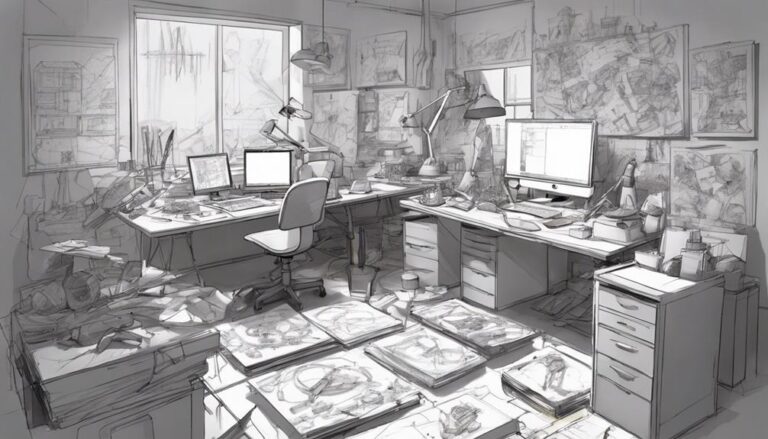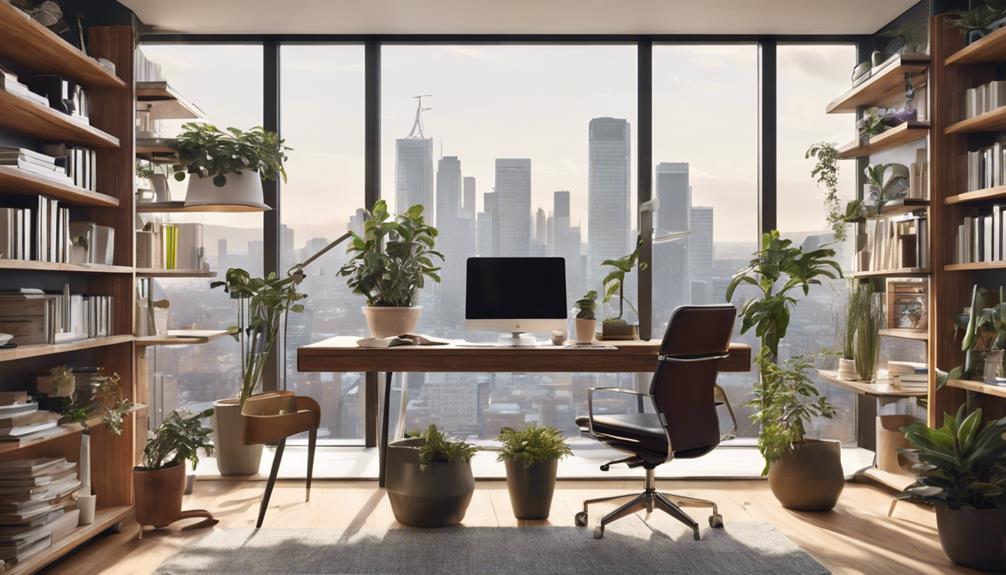

You're about to evaluate a corner of your home into a productive hub that boosts your efficiency, creativity, and overall well-being. Start by gauging your workspace needs, considering how you'll use the space and the essential tools you'll need. Invest in ergonomic furniture, like a comfortable chair and a desk with built-in cable management. Next, prioritize digital organization strategies, such as a centralized hub for online accounts and cloud storage services. By establishing a solid foundation, you'll be well on your way to creating a space that sparks inspiration and drives success – and there's more to explore to take your home office to the next level.
Assessing Your Workspace Needs
To create an efficient home office, start by identifying how you'll be using the space, including the type of work you'll be doing, the frequency of use, and the number of people who'll be working there. This important step will help you tailor your workspace to your unique needs, boosting your productivity and overall job satisfaction.
Conduct a workstyle analysis to understand your habits and preferences. Are you a morning person or a night owl? Do you prefer a quiet, distraction-free environment or a bustling space with lots of natural light? Consider your personal preferences, such as whether you like to stand while working or need a comfortable seating area for clients.
Think about the type of work you'll be doing. Will you be typing away on your laptop, making frequent phone calls, or creating art? This will help you determine the essential tools and equipment you'll need within arm's reach. Additionally, consider the number of people who'll be using the space. Will it be just you, or will you be sharing the space with colleagues or family members? By understanding your workspace needs, you'll be able to create an environment that supports your workstyle, leading to increased efficiency and success.
Choosing the Right Furniture
Now that you've assessed your workspace needs, it's time to focus on choosing the right furniture to maximize your productivity. You'll want to select an ergonomic chair that provides peak support and comfort, as you'll likely be spending hours sitting in it. Additionally, you'll need to contemplate how to optimize your desk space to guarantee a clutter-free and efficient work environment.
Ergonomic Chair Options
You'll likely spend hours sitting in your home office chair, which makes selecting an ergonomic model that supports your back and promotes good posture an essential investment. A high-quality ergonomic chair can greatly reduce the risk of back pain, which is a common complaint among remote workers and freelancers. With advanced chair technology, you can adjust the height, lumbar support, and armrests to fit your unique needs. This customization guarantees that you're sitting comfortably, allowing you to focus on your work without distractions. Consider a chair with a breathable mesh fabric, adjustable headrest, and a sturdy base that won't tip over. By investing in an ergonomic chair, you're investing in your health and productivity. Remember, a comfortable and healthy you is more likely to be a productive and successful you. Take the time to research and find the perfect ergonomic chair for your home office – your back (and your work) will thank you.
Desk Space Optimization
Your desk space is prime real estate, and choosing the right furniture can greatly impact your productivity and comfort. When selecting a desk, consider one that maximizes corner utilization, providing ample space for your computer, papers, and other essentials. Look for a desk with built-in cable management features, such as grommets or cable ties, to keep your workspace organized and clutter-free.
A desk with adjustable height settings can also be beneficial, allowing you to switch between sitting and standing throughout the day. Consider a desk with built-in storage, such as drawers or shelves, to keep frequently used items within easy reach. A desk with a ergonomic design, such as a curved or split keyboard tray, can also promote comfortable typing and reduce eye strain.
Essential Office Equipment
As you set up your home office, you'll need to prioritize the essential equipment that'll help you stay productive. You'll want to start with the basics, like a reliable desk and chair, to create a comfortable and efficient workspace. Next, consider investing in a good printer and scanner, as well as ergonomic accessories that'll support your physical and mental well-being.
Desk and Chair Essentials
Two essential components of a productive home office are a comfortable and ergonomic desk and chair, which can greatly impact your overall work experience. A well-designed desk and chair can help you maintain a comfortable posture, reducing the risk of back and neck strain. This, in turn, boosts your energy levels and focus, allowing you to tackle tasks with confidence.
Imagine yourself working in a space that's tailored to your needs:
- A spacious desk with built-in cable management, keeping your workspace organized and clutter-free
- A ergonomic chair with adjustable lumbar support, promoting good posture and reducing fatigue
- A desk lamp providing soft, warm lighting, creating a cozy ambiance that sparks creativity
- A comfortable keyboard tray, allowing you to work with ease and precision
- A stylish rug, adding a pop of color and texture to your workspace, making it feel truly yours
Printer and Scanner Needs
With your comfortable and organized workspace set up, it's time to think about the equipment you'll need to get the job done efficiently, starting with a reliable printer and scanner. When choosing a printer, consider wireless printing capabilities to free yourself from cords and clutter. This feature will allow you to print from anywhere in your home office, giving you more flexibility and convenience. If you're aiming for a paperless office, look for a printer with high-quality scanning capabilities. This will enable you to digitize important documents and reduce your paper usage. A good scanner will also help you stay organized by allowing you to easily save and access your documents digitally. When selecting a scanner, consider the resolution, speed, and compatibility with your devices. By investing in a reliable printer and scanner, you'll be well on your way to creating a productive and efficient home office that meets your needs.
Ergonomic Accessories
Outfitting your home office with ergonomic accessories can greatly decrease the risk of discomfort, fatigue, and even long-term injury, enabling you to stay focused and productive throughout the day. By incorporating these accessories, you'll be able to work comfortably and efficiently, which is essential for achieving your goals.
Here are some must-haves to get you started:
- Ergonomic keyboards: Designed to reduce strain on your wrists and fingers, these keyboards promote comfortable typing and can help prevent carpal tunnel syndrome.
- Wireless mice: Eliminate clutter and reduce strain on your wrist with a wireless mouse that allows for smooth, precise movement.
- Adjustable monitor arms: Easily position your monitor at a comfortable height and distance to reduce eye strain and improve your posture.
- Comfortable office chairs: Invest in a chair that provides proper lumbar support and encourages good posture to reduce back and neck pain.
- Antifatigue mats: Stand comfortably while working with an antifatigue mat that reduces strain on your feet and legs.
Organizing Your Digital Life
Get a grip on digital clutter by creating a centralized hub for all your online accounts and subscriptions. You'll be amazed at how much more focused you'll feel once you've corralled all your digital loose ends. Start by designating a single password manager to store and generate strong, unique passwords for each account. This will not only simplify your login process but also reduce the risk of security breaches.
Next, consider investing in cloud storage services like Google Drive, Dropbox, or iCloud to streamline your file management. These platforms allow you to access your files from anywhere, at any time, and collaborate seamlessly with others. By centralizing your files, you'll reduce digital clutter and minimize the risk of lost or misplaced documents.
Digital decluttering is just as essential as physical decluttering. Take the time to review your digital subscriptions, canceling any that no longer serve you. This will help you avoid unnecessary notifications, reduce digital noise, and free up mental energy for more important tasks. By implementing these strategies, you'll regain control over your digital life, freeing up time and mental space to focus on what truly matters. With a tidy digital landscape, you'll feel more grounded, in control, and ready to tackle your goals with renewed confidence.
Creating a Productive Layout
Now that you’ve streamlined your digital life, turn your attention to crafting a physical workspace that fuels your productivity, starting with a well-designed layout that sparks creativity and efficiency. A well-planned layout can make all the difference in your productivity levels, so take the time to get it right. Incorporate elements that inspire you, such as artwork or plants, while ensuring that your workspace is organized and free from clutter. Consider the arrangement of your tools and resources; by thinking critically about how to enhance user experience, you can create an environment that minimizes distractions and maximizes focus. Additionally, ensure that your workspace is well-lit and ergonomically designed to support your work habits, ultimately leading to greater efficiency and satisfaction in your daily tasks.
Here are some essential elements to ponder when creating your productive layout:
- Corner spaces: Make the most of these often-wasted areas by installing shelves, cabinets, or a comfortable reading nook.
- Ergonomic chair: Invest in a chair that provides lumbar support and promotes good posture to reduce fatigue and discomfort.
- Noise reduction: Incorporate sound-absorbing materials like acoustic panels or rugs to minimize distractions and create a more focused environment.
- Task-oriented zones: Designate specific areas for different tasks, such as a desk for focused work, a reading area for research, or a collaboration space for meetings.
- Inspirational decor: Surround yourself with motivational quotes, vision boards, or inspiring artwork to keep you motivated and engaged.
Minimizing Distractions at Home
How do you plan to shield yourself from the constant temptations and diversions that can hijack your focus and derail your productivity when working from home? With the comforts of your home just a few steps away, it can be challenging to stay on track. However, by implementing a few strategies, you can minimize distractions and create an environment conducive to productivity.
Firstly, time blocking is an effective way to prioritize your tasks and allocate specific times for work and breaks. By scheduling your tasks, you can avoid multitasking and stay focused on the task at hand. Allocate specific times for checking emails, social media, or taking breaks to minimize the temptation to procrastinate.
Noise reduction is another critical aspect of minimizing distractions. Identify the sources of noise that distract you the most, such as noisy family members, neighbors, or background noise, and find ways to minimize them. Consider using noise-cancelling headphones, playing calming music, or using a white noise app to create a more peaceful environment. By reducing noise distractions, you can improve your concentration and stay focused on your tasks.
Setting Boundaries With Family
Establishing clear boundaries with family members is crucial to maintaining a productive home office, as they may not understand that your work-from-home arrangement doesn't mean you're available to socialize or run errands. You need to set clear expectations with your family to maintain your personal space and avoid distractions.
To set boundaries, start by communicating your work schedule and availability to your family. This will help them understand when you're available for personal activities and when you need to focus on work. You can also designate a specific workspace that's off-limits to family members during work hours.
Here are some ways to create a boundary-friendly home office:
- Designate a specific workspace that's only for work
- Establish a 'do not disturb' sign or signal for when you're on a call or deadline
- Set aside specific times for breaks and family interactions
- Communicate your work schedule and availability to your family
- Create a visual reminder, such as a whiteboard or calendar, to keep your family informed of your work schedule
Frequently Asked Questions
How Can I Handle Frequent Interruptions From Family Members?
"Ah, the constant tug-of-war between work and family life! When family members constantly interrupt you, it's like trying to build a puzzle with missing pieces. You need to set clear boundaries, darling! Communicate your work hours and needs with your family, and establish a 'do not disturb' zone. Remember, a little honesty and openness can go a long way in maintaining harmony and productivity."
What Are Some Noise-Cancelling Headphones for a Quiet Workspace?
You're looking for the perfect noise-cancelling headphones for a quiet workspace! You'll want ones that deliver excellent sound quality and impressive noise reduction. Consider popular options like Bose QuietComfort, Sony WH-1000XM4, or Anker Soundcore Space Q32. These headphones will help you zone in on your work, blocking out distractions and letting you focus on what matters most. Say goodbye to background noise and hello to uninterrupted productivity – you'll be grateful you made the investment!
Can a Home Office Be Set up in a Small, Cluttered Room?
You're wondering if a tiny, cluttered room can be tamed into a productive sanctuary? Think of it as a puzzle, where every piece has its place. Start by decluttering, sorting items into "keep," "donate," and "recycle" piles. Then, optimize space by using vertical storage and multi-functional furniture. You'll be amazed at how a little creativity can turn a cramped space into a haven that sparks joy and focus.
How Can I Prioritize Tasks and Avoid Procrastination at Home?
You're probably no stranger to procrastination, but it's time to take control! To prioritize tasks and stay focused, try time blocking – schedule fixed, uninterrupted blocks of time for each task. Set specific, achievable goals for each session, and break them down into smaller, manageable chunks. By doing so, you'll create a sense of accomplishment and motivation, helping you stay on track and avoid procrastination.
Are There Any Tax Benefits for a Home Office Setup?
As you set up your workspace, you're probably wondering if there are any tax benefits to doing so. The good news is, yes, there are! You can claim a home office deduction, which can help reduce your taxable income. To maximize this benefit, keep track of business expenses, like equipment, utilities, and supplies. Use deduction strategies like the Simplified Option, which allows you to deduct $5 per square foot of home office space, up to $1,500.